What it does
Renders in place
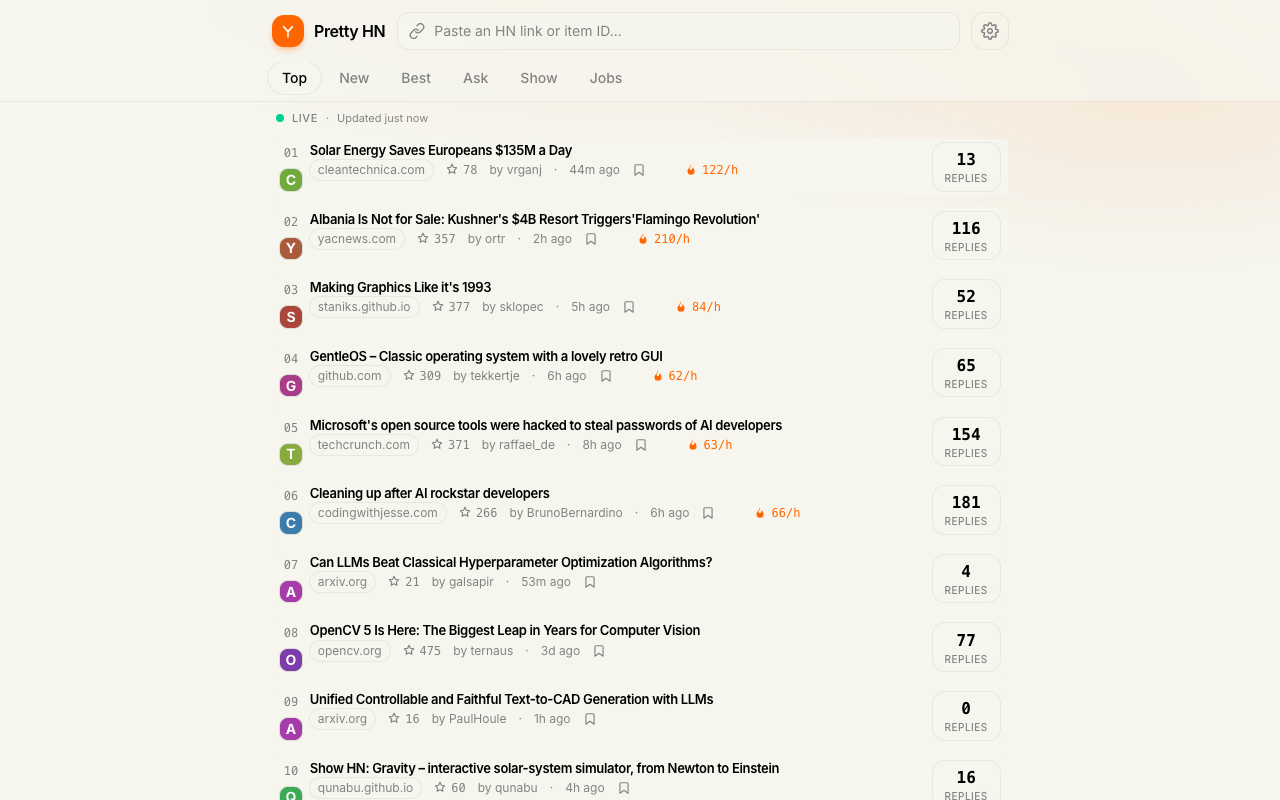
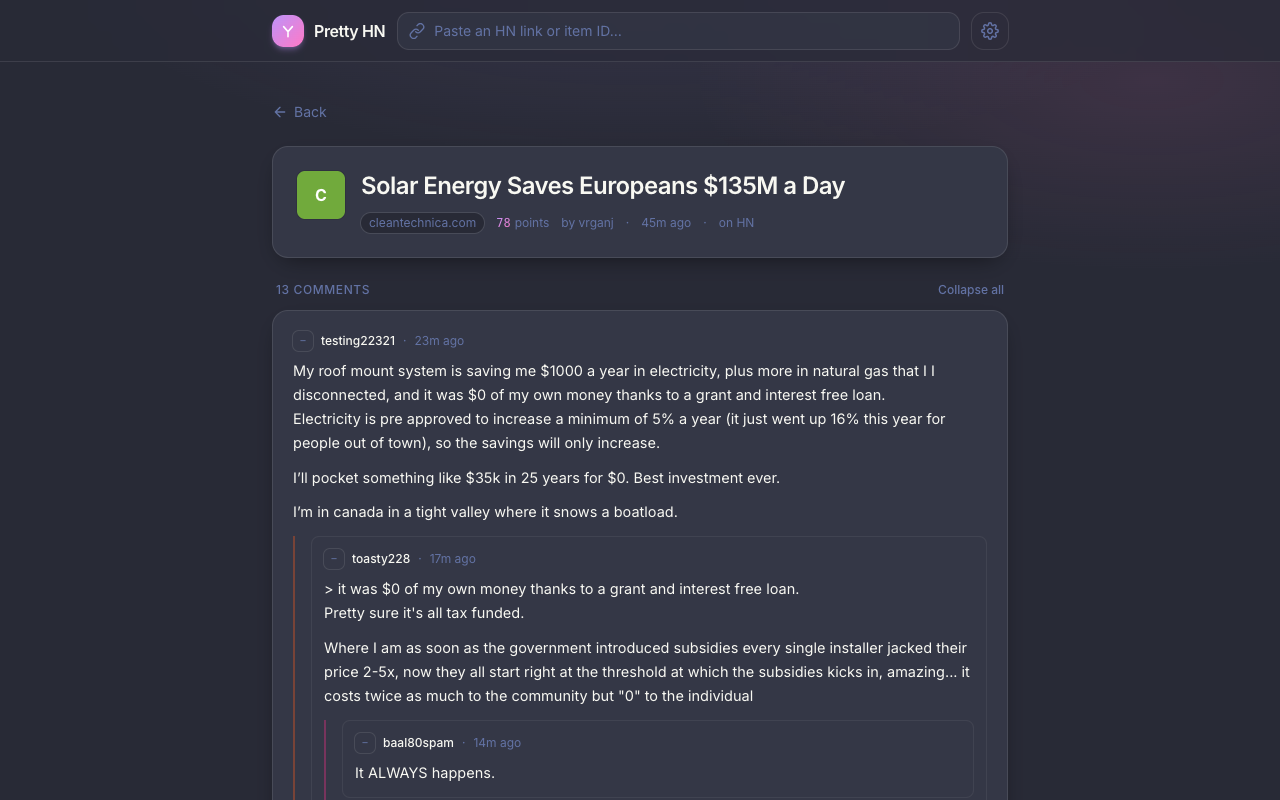
Takes over HN's feed and item pages with a clean reader; other pages stay native.
Themes
A faithful, dense Classic by default — plus calmer and playful themes (yes, a Bloomberg terminal one).
Your real account
Upvote, comment, and reply via the HN session already in your browser. No passwords stored.
Keyboard + collapse
j/k to move, o/Enter to open, u to upvote; collapse threads, read/seen dimming, save for later.
Inline previews
Read a linked article's clean text inline, without leaving HN. Optional, off by default.
Optional AI brief
Bring your own key. Summarizes the linked article and the comment thread, and points you to comments worth reading. Reading only — never posts.
Built to be trusted
- No backend, no analytics. Everything runs locally; your settings live in your browser.
- Scoped permissions. Access is limited to news.ycombinator.com (plus optional, on-demand access only if you turn on article previews).
- AI is opt-in. With no key, Pretty Hacker News makes zero AI calls. When enabled, requests go straight from your browser to the provider you chose, with your key — through no server of ours.
- AI is for reading, never for speaking. It summarizes and matches; it will never write comments or vote for you. That's a covenant in the LICENSE.
- Verifiable. The guarantees are enforced by tests that run in CI, and every network call is listed in the privacy policy.
Install
A Chrome Web Store listing is in review. Until then, load it unpacked:
- Clone the repo and run
bun installthenbun run plasmo:build. - Open
chrome://extensionsand turn on Developer mode. - Load unpacked → select
build/chrome-mv3-prod. - Open news.ycombinator.com.
Full instructions are in the README.